
Know what’s actually built.
Gizmo reads the relevant code behind a screen or feature and turns it into clear, useful product answers for designers and small teams.
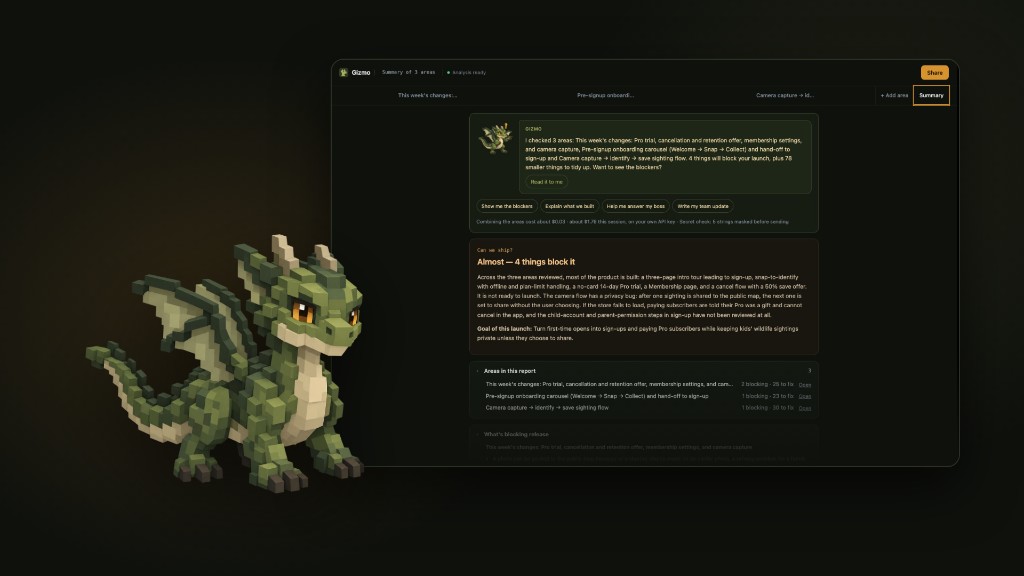
What Gizmo answers
What’s actually built
A plain-language read of the implementation behind a screen or feature.
What’s missing or incomplete
Gaps between the product you expect and the code that exists.
Which UX states exist
Empty, loading, error, success, and the other states present in the build.
What could block launch
Issues that may stop a screen or feature from shipping.
What changed this week
A product-language summary of recent implementation changes.
How to explain the work to the team
Findings you can share without walking through the code.
How it works
- 01
Ask Gizmo about a screen, feature, or part of the product.
- 02
Gizmo reads the relevant code and analyzes the implementation.
- 03
Get clear, product-language findings with links back to the code.
Turn scattered implementation details into decisions.
- Can we ship?
- What should I fix first?
- What did I get done this week?
Who it’s for
Designers, founders, product managers, and small product teams who need a clear view of what has actually been implemented.
- Designers
- Founders
- Product managers
- Small product teams